Introduction
Android Componets
UserInterface
Advanced UI
Data Storage
Advanced Concepts
Others
New Studio
Introduction - 1.1 Techo. Introduction
- 1.2 Android - Introduction
- 1.3 Architecture
- 1.4 Application Components
- 1.5 Hello World Example
- 1.6 Project Structure
- 1.7 Android Tools
- 1.8 App Workflow
- 1.9 Multiple Screens Support
- 1.10 Organizing Project
- 1.11 App Debugging
- 1.12 Interview Questions
- 1.13 Creating Emulator and Mobile
- 1.14 Road Map
Android Log
- In java, you can do
System.out.println()to dump a message where you want to, but it does not work in Android. - There is an Android Log class that lets you create log messages with one line of code.
Log.d("Tag Name", "Log Message").
- Tag Name is a tag that you provide with a message that lets you filter the log messages.
- Log Message is outputs messages.
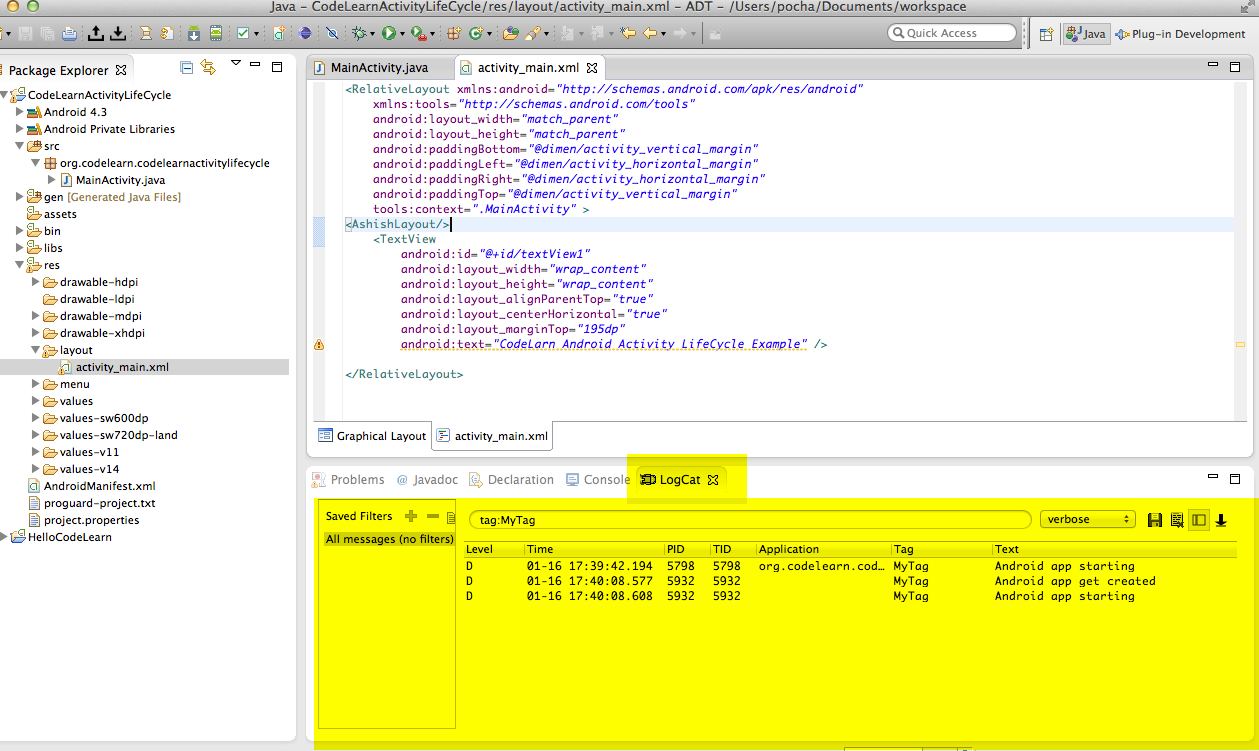
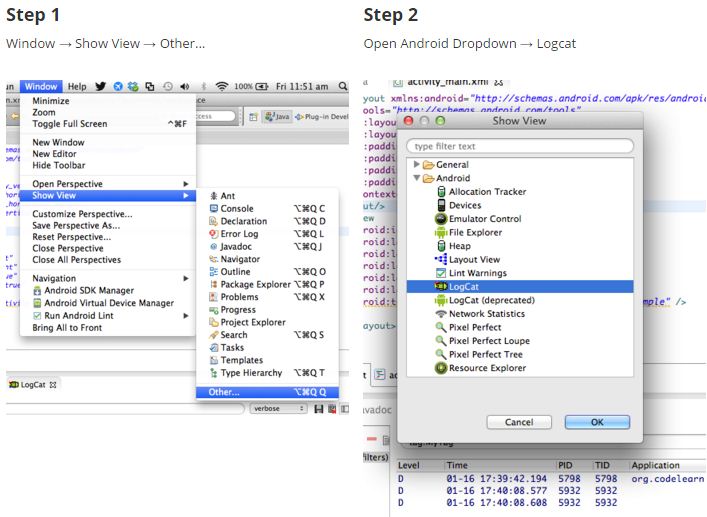
Opening LogCat in Eclipse:
Simply follow the steps below to get the window
Message Filtering in LogCat
You should provide a tag for your log messages as it will make it easy for you to search for the message using the tag.For eg:
Log.d("MyTag","This is sample log message")
You can search for the message by putting tag:MyTag in the search field of LogCat.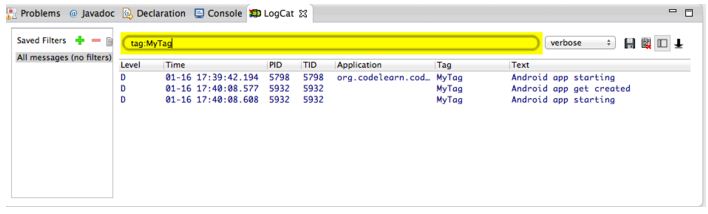
You can filter/search messages through application name also.
EX :
app:org.codelearn.twitterappCreate Message Filter
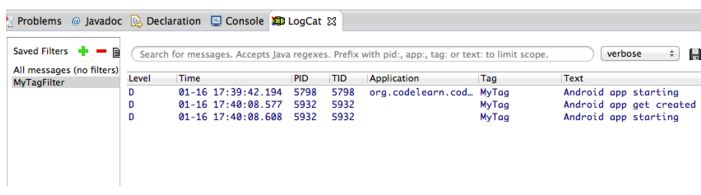
Click on the green '+' button next to 'Saved Filters' as shown below to create a new filter.

Do not add prefix
tag:,app:Clicking on the filter name will apply filter to log messages.
Saving & Clearing logs
